Why Multi-Factor Authentication Is Non-Negotiable for Every Manufacturing Login
Manufacturers invest heavily in physical security. Badge readers, cameras, visitor logs, locked equipment rooms. But when an attacker uses stolen credentials to log into your VPN from another country, none of that physical infrastructure matters. They are already in.
This is the gap that multi-factor authentication closes. It is also the most consistently exploited entry point for ransomware in manufacturing today. Despite that, most mid-size manufacturers either have no MFA deployed or have applied it inconsistently, covering email while leaving ERP systems, remote access portals, and engineering tools completely unprotected.
This guide covers why MFA for manufacturing company environments is now a baseline requirement, where it needs to be deployed, and how to handle the most common operational objection: floor workers who cannot use a smartphone on the production line.
Why Manufacturing Companies Are Targeted Through Credentials
Manufacturers are not targeted at random. They sit at a specific intersection of factors that make credential attacks especially effective.
Production environments cannot tolerate extended downtime. A ransomware operator who encrypts your production management system on a Monday morning knows your pressure to restore by Tuesday is intense. That urgency drives faster ransom payments, and manufacturing companies pay at higher rates than most other industries.
Most facilities also run a mix of legacy systems and modern cloud tools, which creates authentication gaps. An ERP system may require only a username and a password. A VPN connection for a remote engineer may have no second factor at all. Each unprotected login is an open door.
Third-party access adds another layer of exposure. Manufacturers regularly grant remote access to equipment vendors, maintenance contractors, and logistics partners. Those credentials are outside your control. If a vendor account is compromised in a breach at their organization, your network inherits that exposure.
Then there is insurance. Cyber insurers are now requiring MFA for manufacturing company environments as a condition of coverage. Some policies explicitly exclude ransomware claims if MFA was not in place on remote access and email at the time of the incident. A breach without MFA is not just a security failure. It may also be an uninsured loss.
Where MFA Needs to Be Deployed in a Manufacturing Environment
Enabling MFA on email and stopping there is one of the most common security mistakes in manufacturing. Attackers who cannot get into email will simply move to the next unprotected system. A complete deployment covers:
Remote access and VPN: any pathway into your internal network from outside requires MFA, including employee VPN, remote desktop connections, and all vendor and contractor portals
ERP and business systems: SAP, Microsoft Dynamics, Oracle, Epicor, and any other platform holding production schedules, customer data, or financial records
Microsoft 365 and Google Workspace: business email compromise attacks target manufacturer accounts specifically to intercept wire transfers and access operational data
Cloud applications: any SaaS tool with a login, including HR systems, procurement platforms, and customer portals
Engineering and OT-adjacent tools: remote access to engineering workstations and systems that touch production control requires MFA wherever technically feasible, which connects directly to "SCADA and PLC security for manufacturing environments"
Privileged and administrative accounts: these are the highest-value targets in any environment and require MFA without exception
The Real Objection: Shop Floor Workers Cannot Use Phone-Based MFA
This objection comes up in nearly every manufacturing MFA conversation, and it is a legitimate operational concern.
A machinist on a 10-hour shift does not carry a personal smartphone. Workers in cleanroom, food processing, or heavy industrial environments may be prohibited from having mobile devices near their work area at all. A policy requiring an authenticator app is simply not workable across a full manufacturing facility.
The key point is that phone-based authentication is one MFA method, not the only one. The objection to phone apps is not an objection to MFA itself. There are purpose-built alternatives for exactly this environment.
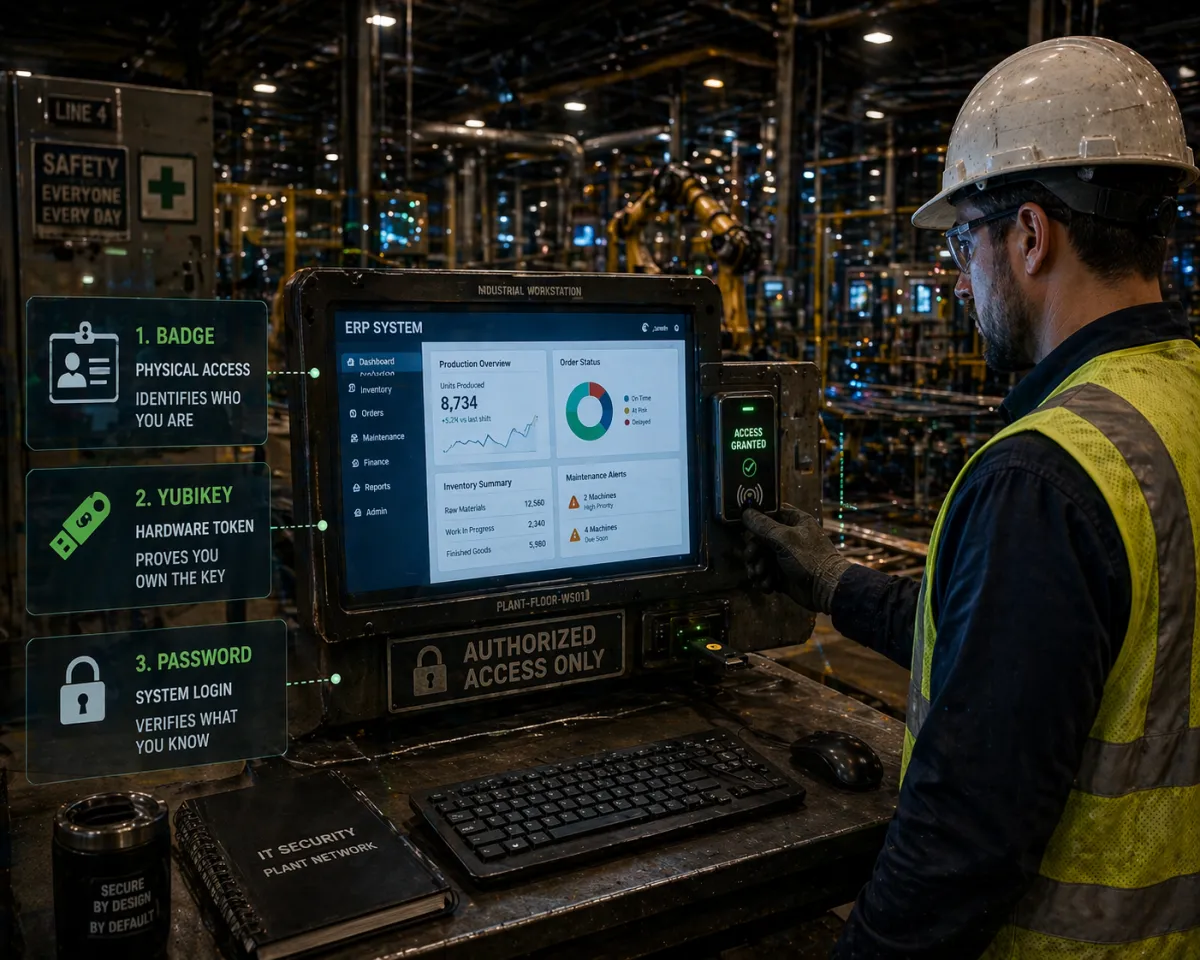
Hardware tokens are small physical devices that generate a rotating one-time passcode. The worker enters their password and the current code from the token. No smartphone, no app, no network connection required. FIDO2-based keys like YubiKey take this further by eliminating code entry entirely: the worker plugs in the key or taps it to a reader, and authentication completes in one step. These devices are ruggedized and suited for industrial conditions.
Smart card and badge-based authentication extends the physical access infrastructure most facilities already have. Workers tap their existing badge to a reader attached to a workstation to complete login. This requires no behavioral change beyond what workers already do to enter the building.
Biometric authentication through fingerprint readers or palm vein scanners works in environments where handling a small device is not practical. Modern biometric systems store templates locally and authenticate without cloud connectivity, which matters in production floor environments with network constraints.
Conditional access policies through platforms like Azure Active Directory or Okta allow MFA requirements to be scoped by context. A worker accessing systems from a known, trusted workstation on the production floor network may satisfy a low-risk profile. The same account accessed from an unknown device or external network triggers a full MFA challenge. This reduces friction for low-risk sessions while maintaining protection where the actual risk exists.
None of these requires workers to own or carry a personal smartphone. A complete MFA deployment matches the authentication method to the work environment rather than applying a uniform policy that does not fit how the facility actually operates.
How Multi-Factor Authentication Protects Manufacturing Systems, Including ERP and Remote Access
MFA protects manufacturing systems by requiring attackers to compromise two independent factors rather than just a password. In practice, this closes the most common entry points for ransomware and unauthorized access.
For ERP systems, MFA means that stolen credentials from a phishing attack or third-party breach cannot be used to access production schedules, customer orders, or financial records without also possessing the second factor. ERP platforms, including SAP, Microsoft Dynamics, and Epicor, all support MFA integration through Azure AD, Okta, or native identity features.
For remote access and VPN, MFA enforces verification at the network perimeter. A valid username and password alone will not open a remote session. This directly addresses the most exploited entry point in manufacturing ransomware cases, where attackers use stolen VPN credentials to enter a network without triggering any alerts.
For vendor and contractor access, MFA at third-party remote access portals means that a compromise at a vendor organization does not automatically become a compromise of your network. The stolen credentials are not sufficient without the second factor.
MFA across these systems covers the majority of realistic attack paths against a manufacturing company. It does not require overhauling existing infrastructure and can be deployed across most environments within weeks through platforms like Azure AD with Conditional Access or Okta Workforce Identity.
Cyber Insurance Is Now Driving MFA Adoption for Manufacturers
The cyber insurance market has changed significantly. Policies that previously covered ransomware broadly now include specific technical controls as conditions of coverage.
MFA sits at the top of almost every insurer's required controls list. Common mandates include MFA on all remote access and VPN connections, MFA on email, and MFA on all privileged accounts. Manufacturers applying for new coverage or renewing existing policies are asked to document MFA deployment as part of the underwriting process.
The cost of deploying MFA across the environments outlined here is a fraction of the cost of a single ransomware incident. Manufacturers operating without MFA on remote access and email are carrying uninsured cyber risk regardless of whether they have a policy in place. Understanding the full scope of "cyber insurance requirements for manufacturing businesses" is worth a direct conversation with both your IT provider and your insurance broker before your next renewal.
What a Complete MFA Deployment Looks Like for a Manufacturing Company
A phased approach closes the highest-risk gaps first while giving time to develop the right workflows for shop floor environments.
The first priority covers remote access, VPN, all administrative and privileged accounts, and email. These three areas close the most exploited pathways with minimal disruption to production and can typically be deployed within days using existing identity platforms.
The second phase extends MFA to ERP systems and all cloud-hosted business applications. Conditional access policies are configured at this stage to scope MFA requirements by network location and device trust level.
The third phase addresses the production floor, selecting the right authentication method for each environment, piloting it with a defined group, and documenting role-based access policies for shared terminals.
A qualified MSP providing "managed IT services for manufacturing companies" should be able to scope and execute this deployment, including the shop floor authentication design, without requiring your internal team to manage the technical work.
If you are not sure where your current authentication gaps are, that is the starting point. A security assessment that maps your MFA coverage against the entry points in this post will show exactly what needs to be addressed and in what order.
That is also the core of what "manufacturing cybersecurity and IT solutions" looks like when it addresses real operational constraints rather than applying generic IT policies to a facility that cannot support them.