Microsoft 365 for Manufacturing: Teams, SharePoint, and Secure File Sharing Across Shifts
Why Microsoft 365 Deployments in Manufacturing Fail When Treated Like Office Rollouts
Most Microsoft 365 deployments follow the same sequence: migrate email to Exchange Online, deploy Teams and SharePoint, assign licenses, and send a training email. For a company with 80 office workers, that sequence works.
For a manufacturer with 40 office employees and 160 plant floor workers across three shifts, it creates a deployment that the office uses and the production floor ignores, or worse, one that creates security and compliance problems because shared workstations, generic shift accounts, and tablet-based access were never accounted for in the design.
The plant floor challenges that generic M365 guides do not address are specific and consistent across manufacturing environments. Shift workers share workstations and tablets. They do not have individual corporate email addresses in many facilities. They need to communicate with supervisors and access work instructions during shifts, but they are not sitting at a desk with a dedicated machine and a full keyboard. Their sessions need to close cleanly at shift end so the next worker logs in to a clean state. And their access to SharePoint and shared files needs to be scoped to what their role requires, not wide open because nobody configured permissions.
This guide covers a Microsoft 365 setup for manufacturing that addresses both the office population and the plant floor workforce, with security configuration and shift worker deployment specifics that no competitor currently publishes.
Licensing: Matching the Right M365 Plan to Each Worker Type
The first decision in a manufacturing M365 deployment is licensing, and it is where many manufacturers overspend on the office side and underprovision on the plant floor side.
Office and administrative employees, plant managers, engineers, quality staff, purchasing, finance, and HR need full Microsoft 365 Business Standard or Business Premium licenses. Business Premium is the recommended tier because it includes Intune for device management and Microsoft Defender for Endpoint, which matter for the security configuration covered later in this guide.
Plant floor and shift workers who need Teams for shift communication, access to work instructions, and basic task management but do not need full email, full Office desktop apps, or desktop productivity features are well-served by Microsoft 365 Frontline Worker licenses (F1 or F3). Frontline F1 provides Teams, SharePoint access, and basic cloud storage at a significantly lower per-user cost than full M365 licenses. F3 adds the Office web apps and additional storage for workers who need to view or edit documents during their shift.
Getting this licensing split right matters for two reasons. First, it reduces the per-seat cost for the plant floor population, which at scale is a meaningful budget difference. Second, it avoids provisioning full enterprise licenses for workers who will use only a fraction of the included features, which creates unused capability that still needs to be secured and managed.
The practical recommendation for most mid-market manufacturers is Business Premium for all office and administrative staff, Frontline F1 for shift workers with basic Teams and SharePoint needs, and Frontline F3 for team leads and supervisors who need document editing capability on the floor.
Teams Deployment for Shift Workers: The Section No Competitor Covers
Microsoft Teams Shifts is the feature most relevant to manufacturing shift workers, and it is rarely mentioned in MSP content about M365 for manufacturers.
Teams Shifts allows shift supervisors to build and publish shift schedules directly in Teams, allows workers to request shift swaps and time off through the app, and notifies workers of upcoming shifts and schedule changes through the Teams mobile app. For a manufacturer managing three rotating shifts across multiple lines, this replaces paper schedules, whiteboard posting, and phone-tree shift change communication with a managed digital workflow that every worker can access from a shared tablet or a personal phone.
The deployment decisions for Teams Shifts in a manufacturing environment involve four specific configurations.
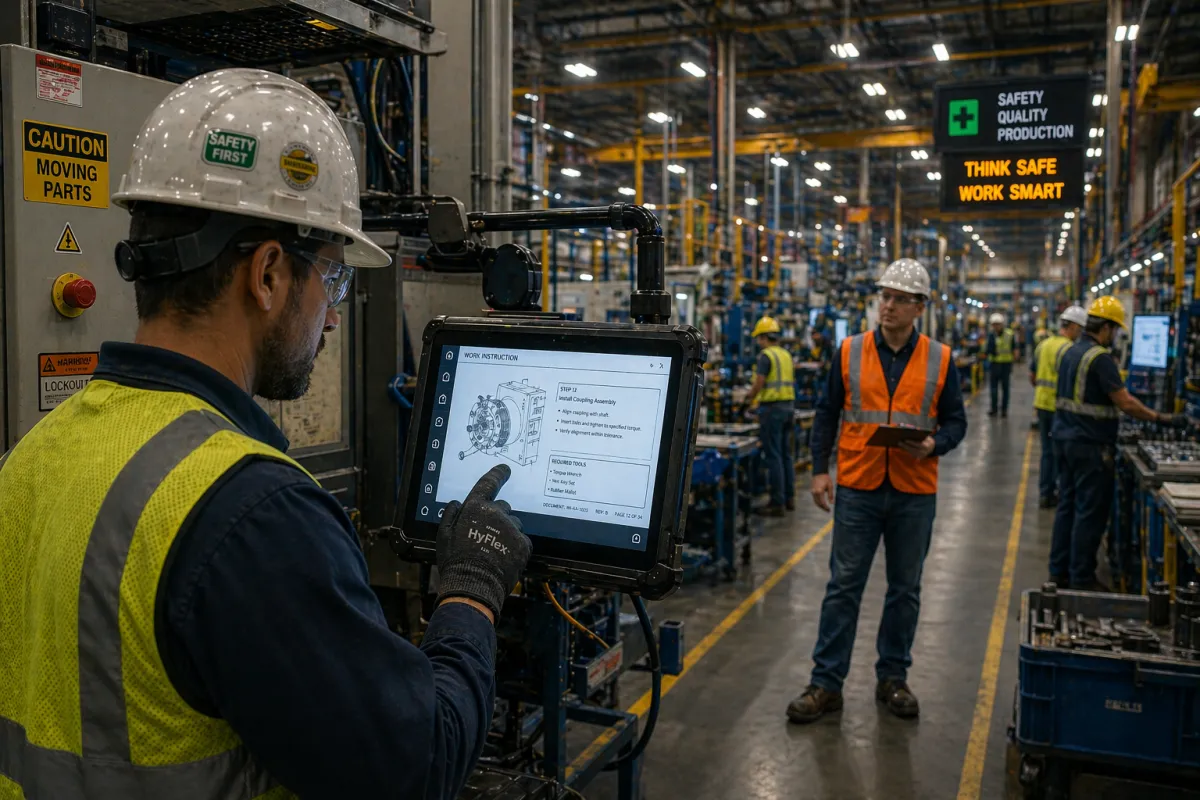
Shared device mode: Plant floor tablets that are shared between workers across shifts need to be configured in Teams Shared Device Mode. This mode allows each worker to sign in with their individual credentials at shift start, use Teams normally during the shift, and sign out completely at shift end, clearing the session so the next worker signs in to a clean state with no access to the previous worker's messages or files. Without Shared Device Mode, shared tablets accumulate sessions and create privacy and security problems that are not present on individual-assigned devices.
Teams channel structure by line and department: Teams should be organized around the operational structure of the facility, not around the organizational chart. A channel structure built for manufacturing typically includes a channel per production line or work cell for shift-level communication, a channel for maintenance and breakdown reporting, a channel for quality holds and inspection results, and a channel for supervisors and leads across shifts. This structure keeps operational communication organized and searchable rather than scattered across individual chats.
Work instructions in SharePoint linked from Teams: Engineering drawings, work instructions, standard operating procedures, and quality control checklists should be stored in SharePoint and linked directly from the relevant Teams channels. A press operator who needs to reference a setup procedure during a changeover should be able to find it in the Teams channel for that line, not navigate through a SharePoint folder hierarchy on a 10-inch tablet while a machine is waiting. Getting the SharePoint-to-Teams integration right for plant floor access is a configuration step, not a default.
Mobile device management for plant floor tablets: Tablets used on the production floor should be enrolled in Intune (included in Business Premium) with a device compliance policy that enforces PIN lock, prevents local data storage of company files, and allows remote wipe if a device is damaged or lost. This is the "endpoint security for manufacturing companies" layer that applies to mobile and shared devices, not just workstations and servers.
SharePoint Architecture for Manufacturing: What to Build Before Migration
SharePoint for a manufacturing company needs a site architecture that maps to the operational structure of the business before any content is migrated. A SharePoint environment that inherits the disorganized folder structure of an on-premise file server is harder to use than the file server it replaced.
The recommended SharePoint architecture for a manufacturer separates content by function and access requirement:
Engineering and product documentation: A dedicated SharePoint site for CAD files, engineering drawings, BOMs, and specifications. Access is restricted to engineering, quality, and manufacturing engineering roles. Version control is enabled. "Data backup best practices for manufacturing companies" requires that this SharePoint library be included in the backup scope with versioning retention that meets the organization's engineering document control requirements.
Quality and compliance documentation: A separate SharePoint site for quality management system documents, SOPs, inspection records, and corrective action documentation. Access includes quality, operations, and any roles that need to reference SOPs during production. Document approval workflows for controlled documents should be configured here, not managed through email attachments.
Operations and shift communication: The SharePoint library that serves as the back end for Teams channels on the production floor. Work instructions, setup sheets, and reference documents that shift workers access through Teams are stored here. Read access is broad; write access is restricted to engineering and quality roles.
Corporate administration: Email, HR documentation, contracts, and business records. Access is restricted by department. This is the standard SharePoint content that any business deploys.
Permissions across all SharePoint sites should be managed through Azure Active Directory groups, not through individual user assignments. When a new employee joins, adding them to the appropriate AD groups grants the right SharePoint access automatically. When an employee leaves, removing them from AD disables access to all systems simultaneously.
How to Set Up and Secure Microsoft 365 for Plant Floor and Office Teams
For manufacturing companies evaluating their M365 configuration or planning a new deployment, the security configuration that applies to a mixed office and plant floor environment covers five areas.
Multi-factor authentication for all accounts: MFA should be enforced for every M365 account, including Frontline worker accounts. For shared tablet deployments, MFA can be configured to require verification at sign-in rather than on every session, with conditional access policies that trust enrolled, compliant Intune-managed devices. This provides MFA protection without creating friction that causes shift workers to share credentials to avoid the prompt.
Conditional access policies: Conditional access restricts M365 access based on device compliance, location, and sign-in risk. For manufacturing, a practical conditional access configuration blocks M365 access from unmanaged personal devices, requires Intune enrollment for plant floor tablets, and flags sign-ins from unexpected locations for additional verification. This is the control that prevents a compromised credential from being used to access company data from outside the facility.
Email security configuration: Exchange Online should be configured with DMARC, DKIM, and SPF to prevent domain spoofing. Anti-phishing policies should be enabled for all accounts. External email warning banners that flag messages from outside the organization help office and administrative staff identify phishing attempts that impersonate internal contacts. "Cloud migration planning for manufacturing companies" that includes M365 migration should include email security configuration as a required deployment step, not an optional add-on.
Data loss prevention policies: DLP policies prevent the sharing of sensitive information, customer data, financial records, quality records, through Teams chats, SharePoint sharing links, or email to external recipients. For manufacturers with customer-confidentiality requirements or regulated quality documentation, DLP configuration is a compliance requirement, not just a security preference.
Regular access reviews: User accounts that are no longer active, former employees, contractors, and temporary workers accumulate in M365 environments that are not actively managed. Quarterly access reviews that disable inactive accounts and remove unnecessary group memberships are a basic hygiene practice that prevents credential-based attacks that use abandoned accounts.
An MSP delivering "managed Microsoft 365 deployment and support for manufacturers" handles all five of these configuration areas as part of the deployment and maintains them on an ongoing basis as the organization changes.
Microsoft 365 for Manufacturing Requires a Manufacturing-Specific Setup
A Microsoft 365 deployment that was designed for an office population and extended to the plant floor without modification will underperform for shift workers and create security gaps that were never present in the office environment.
The "Microsoft 365 manufacturing company setup" that delivers value across the full workforce, from the engineering office to the production floor tablet, requires licensing decisions that match each worker type, Teams Shifts deployment with shared device mode for plant floor tablets, SharePoint architecture built for manufacturing content before migration, and security configuration that accounts for shared devices, shift-based access, and the specific phishing and identity threats that manufacturing environments face.
"Manufacturing IT security and managed services" that includes M365 deployment and ongoing management means a technology partner who understands both the office IT requirements and the plant floor operational requirements, and builds a single M365 environment that serves both without compromise.